Is there an Optimization Limit for Applications and Databases? PostgreSQL and Datrium Demonstration.
No matter how much you tune and optimize your application workload, there's always something else that can take the performance a little further, besides of course replacing the physical hardware with something a little more modern and faster.
I wrote an article entitled "PostgreSQL Benchmark on Datrium – 4.3 Million TPS with 1 GB RAM – and some Frustration!" a little while ago, and then I published another short post on 'Software-Defined-Storage Architectures, a gift that keeps on giving! PostgreSQL and Datrium.' demonstrating performance improvements driven by software-defined-storage stacks while leveraging microprocessor advancements.
Whatever direction you go, application performance should never be a tradeoff between data resiliency and data integrity. In my benchmarks, Erasure Coding supporting two simultaneous drive failures, Checksumming, Compression, and Deduplication have always been On.
Because the previous benchmarks were designed to demonstrate Datrium's enterprise-grade Tier 1 storage solution, I always kept VMware VM memory to 1GB. I followed an existing EDB PostgresTM Advanced Server Performance on EMC XtremIO paper to give us comparable results. That's the correct way to run a storage benchmark if what you are trying to demonstrate is raw storage performance. Adding RAM to the VM, you are promoting data caching, therefore alleviating the storage data path.
Now, without changing the physical hardware, I have run the same PostgreSQL benchmark with 100GB RAM assigned to the VM to demonstrate that RAM indeed play a significant role in benchmarks, mainly hiding the raw storage performance.
However, for this run, I have also optimized PostgreSQL configuration parameters for OLTP workloads with a large quantity of RAM, following PgTune recommendations. Furthermore, I also split the PostgreSQL database across three vDisks and three PVSCSI controller devices with LVM for better queue depth handling, and finally also changed the filesystem from EXT3 to XFS.
While I indeed made changes to PostgreSQL and virtual components, the physical hardware and the software-defined-storage layer remained untouched.
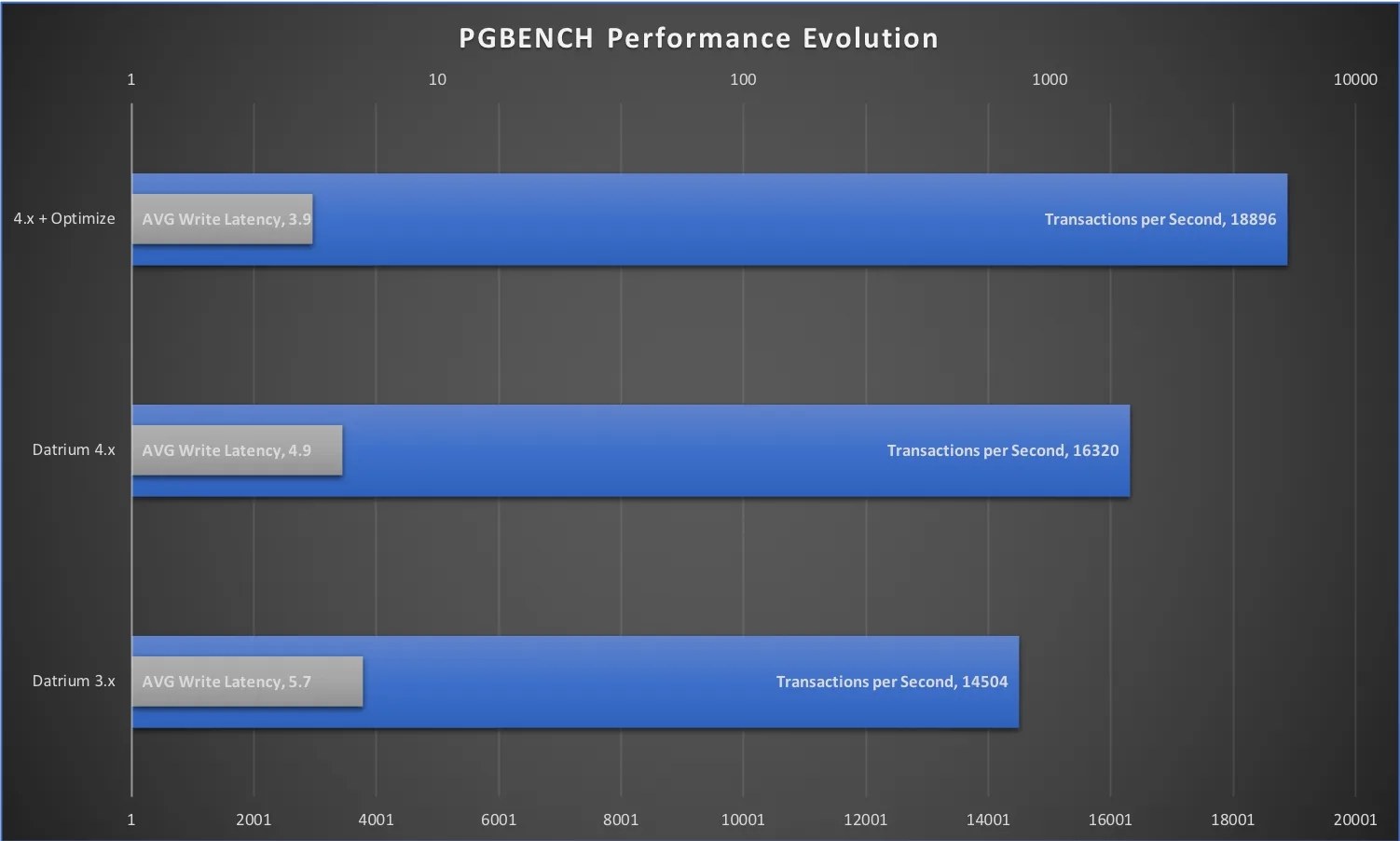
When compared with my last run on Datrium DVX 4.x:
– Transactions per Second (TPS) increased 15.78%
– Average Read latency remained steady at .3 ms
– Average Application Write Latency decreased by 20.41%
Here is the performance improvement evolution across all my PgBench benchmarks.
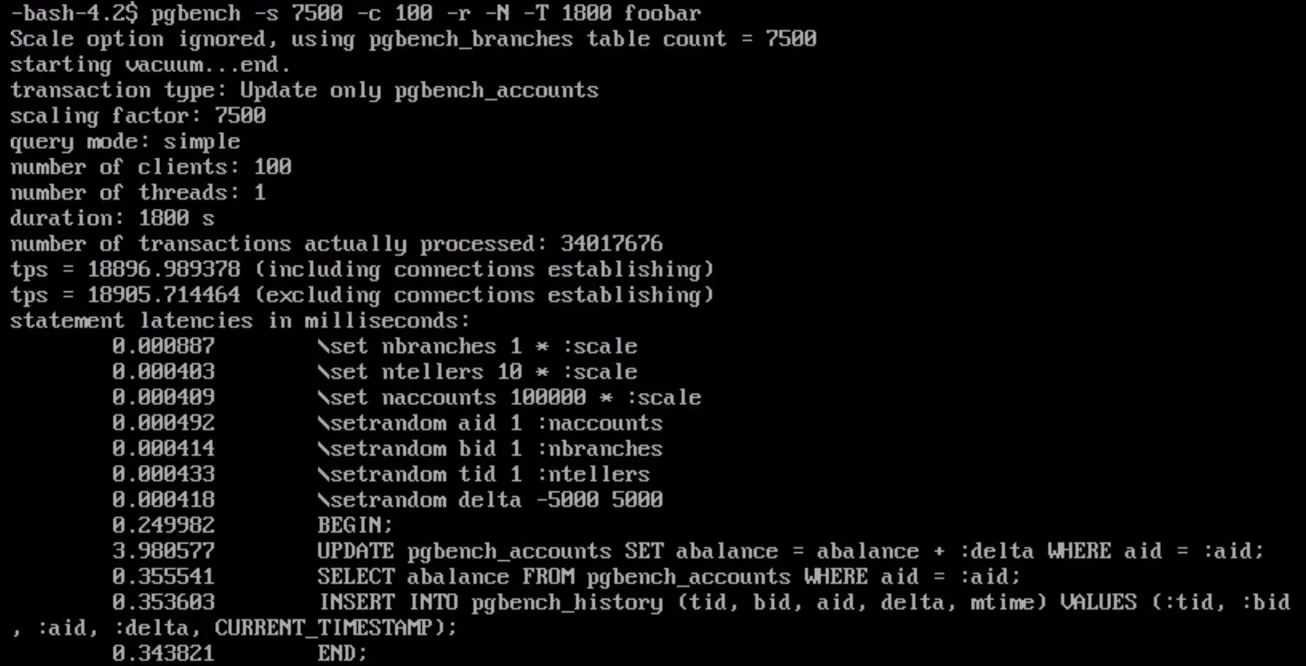
Here is the screenshot of the latest pgbench results:
Conclusion
This exercise concludes demonstrating that there are always ways to optimize workloads further. In my particular case, I could yet examine IO block sizes ensuring that disks and LVM (PV and PG) are configured for the correct application IO block size, but instead, I took a 'default' config approach. I could also manually change the number of concurrent threads in the Datrium DVX software to use more CPU than the default 20%, or even increase the number of vCPU assigned to the VM.
Whatever direction you go, it is important to ensure that there isn't a trade-off between performance, data resiliency, and data integrity. Unless you are running a home-lab, your organization's data is just too important to optimize for performance without considering the consequences.