How Datrium ControlShift and CloudDVX are Deployed and Operated on AWS - Part 1
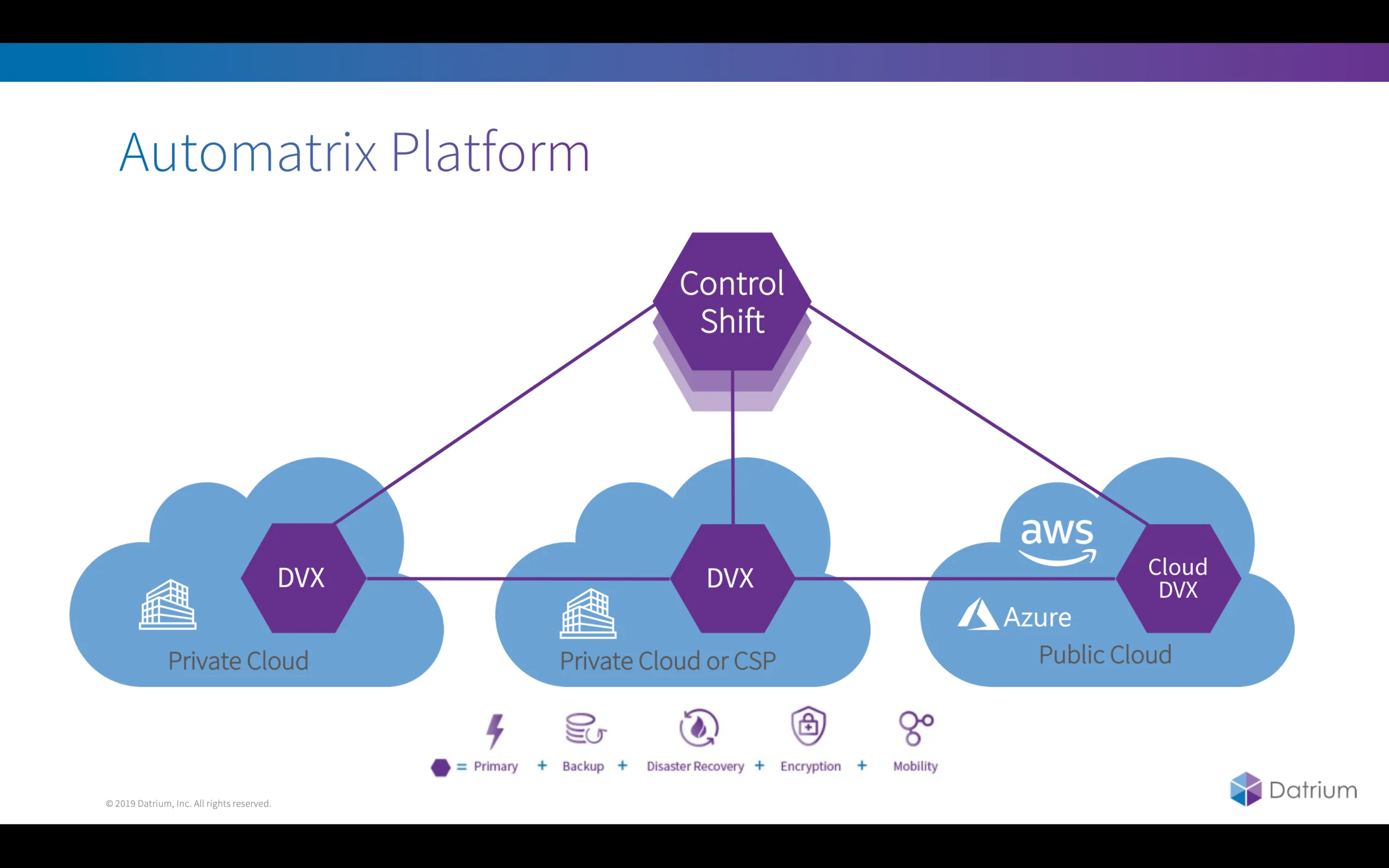
As you may know the Automatrix platform include Primary Storage + Backup + Disaster Recovery + Encryption + Data Mobility in a single end-to-end solution.
In this blog series we will take a look at how simple it is the deploy and operate ControlShift and CloudDVX, creating Protection Groups and Disaster Recovery plans.
[Update] Posts 2 and 3 are already available.
- Post 2 – From Zero to Instant Orchestrated DR in 6 seconds. Live!
- Post 3 - ControlShift Series – Seamless Orchestrated VM Failback from DR Site
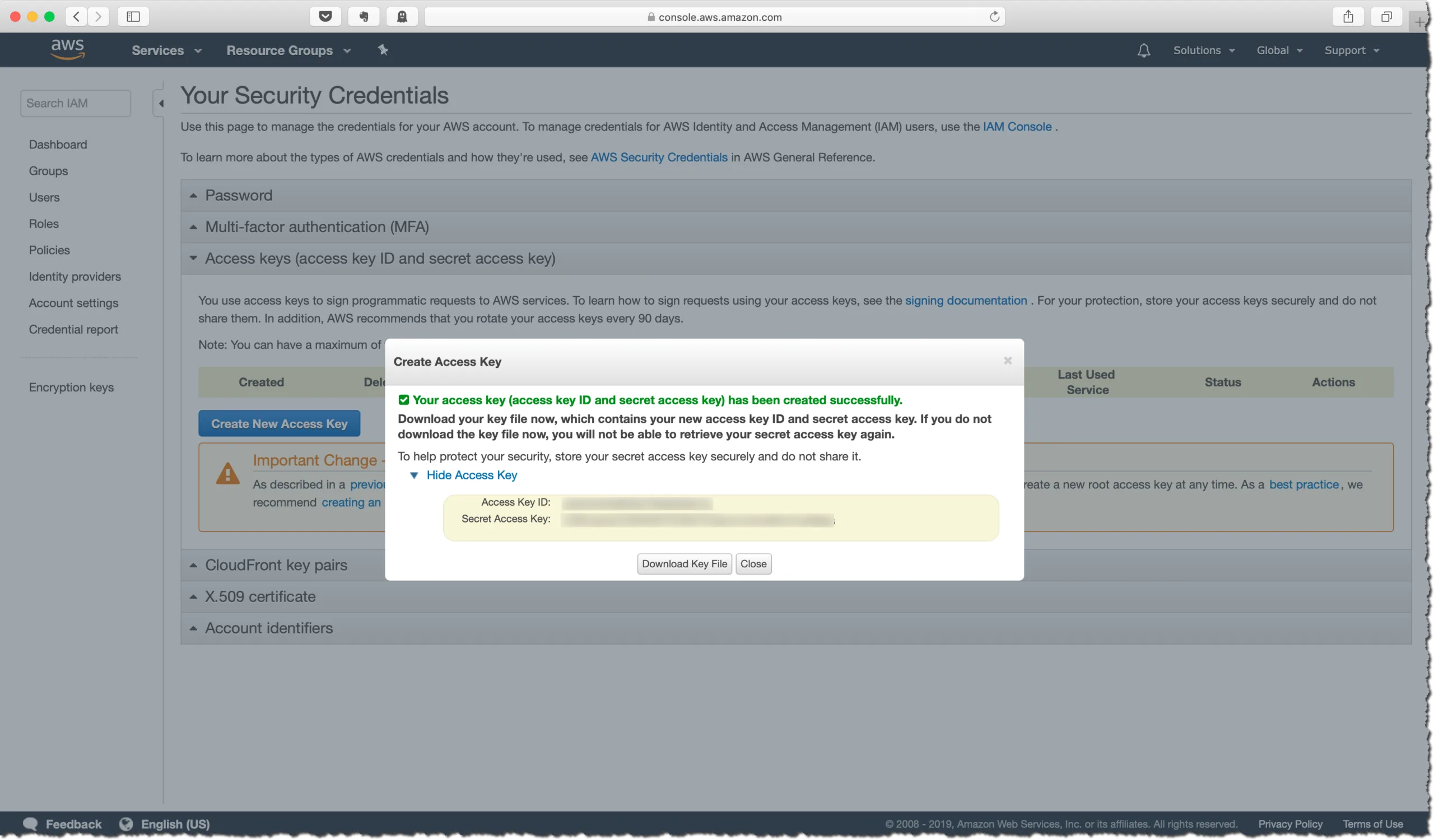
AWS Access Keys
First we need to generate a AWS access key to enable Datrium DVX to operate in your AWS account. This article explain step-by-step how to create a new secret access key. Where’s My Secret Access Key?
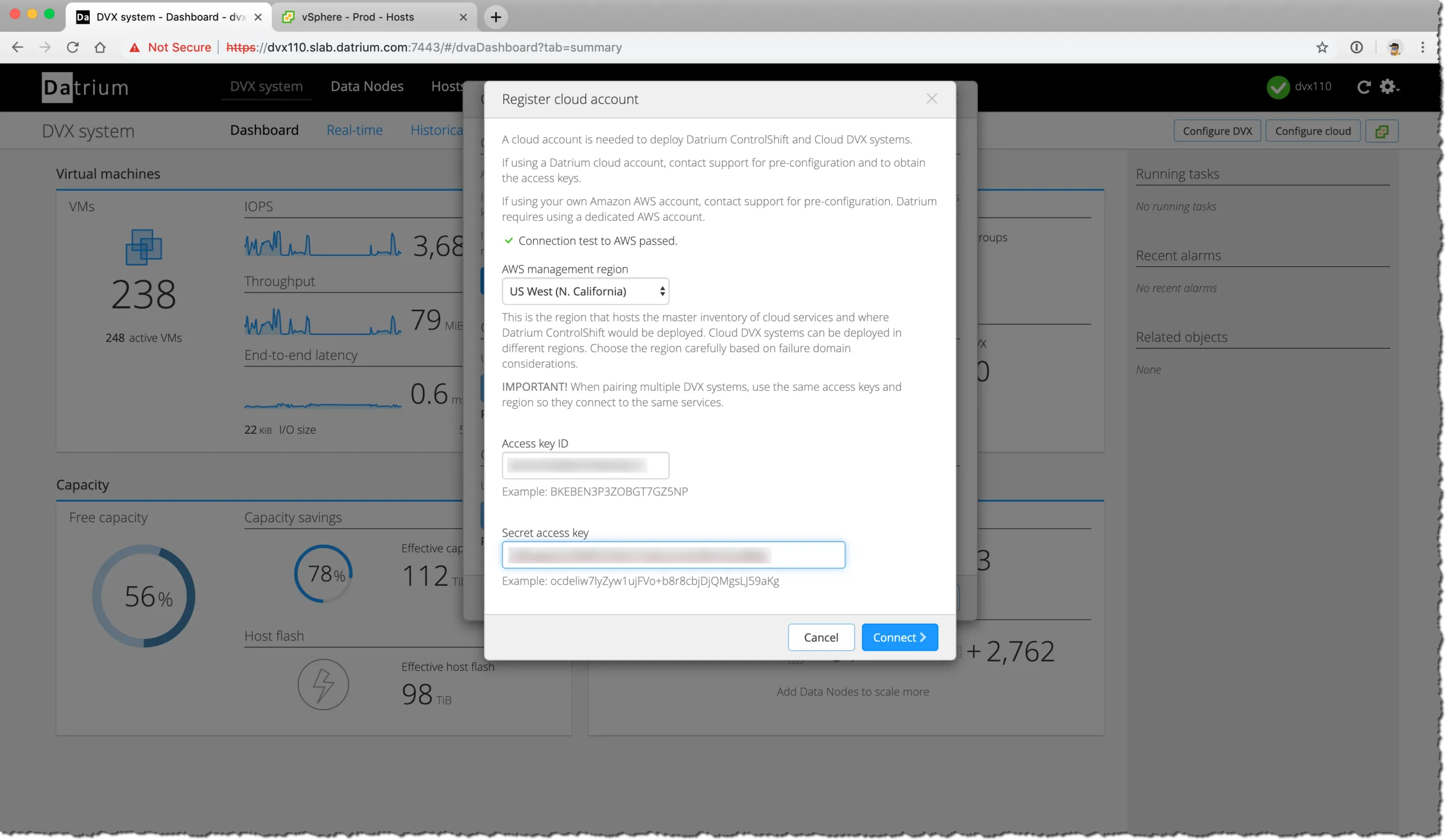
The next step is to register the DVX system with your AWS account and select the preferred AWS Region for the deployment. At this point you will be asked for the AWS secret access key.
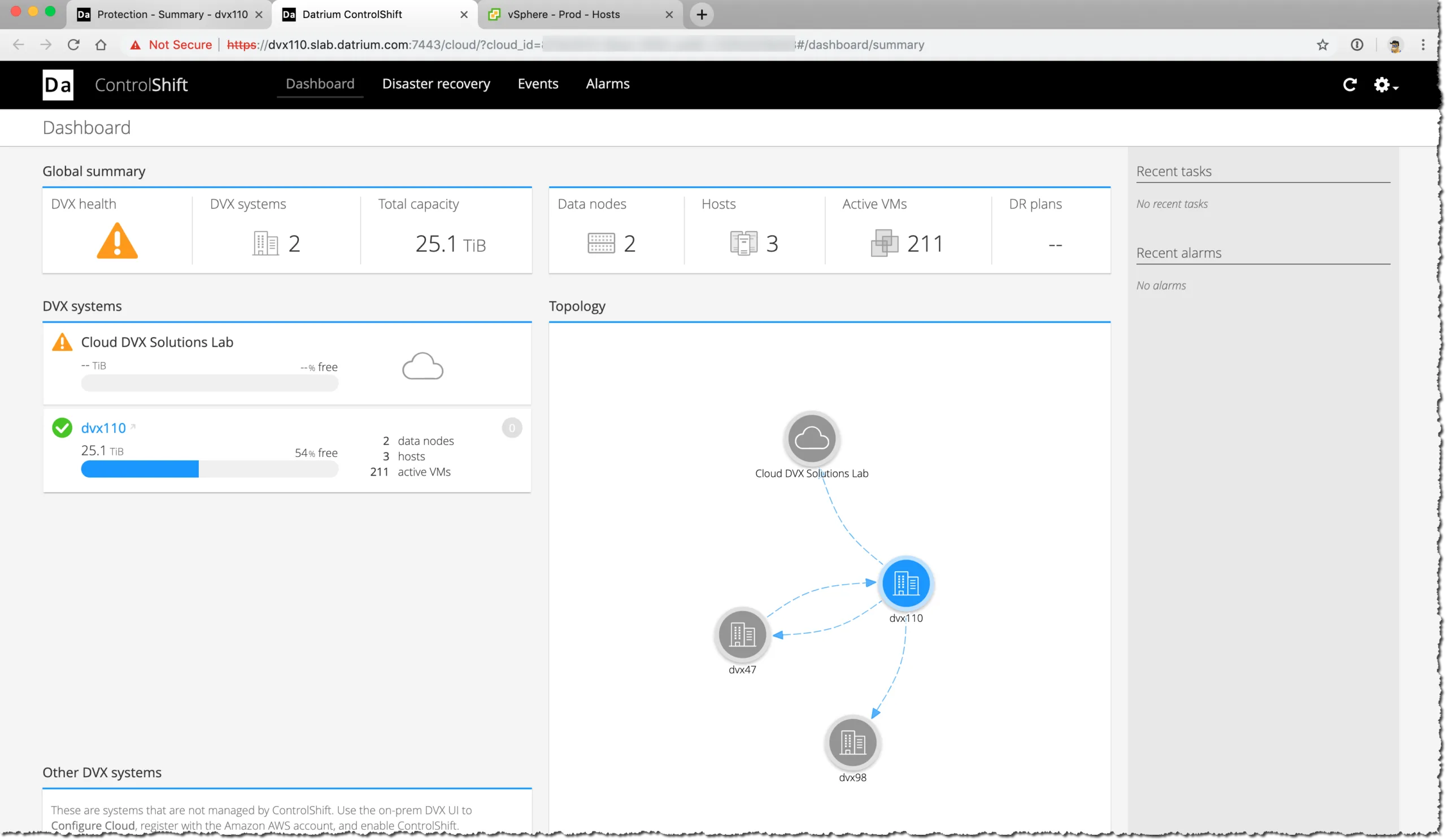
The entire process will take only a couple of minutes and your DVX system is now connected to the cloud, but no Datrium services are yet deployed. Today there are two services available to deploy as part of the Automatrix framework:
Cloud DVX
Tis the long-term Cloud archiving repository that is capable of storing snapshots and backups of up to ten DVX systems. All data is fully de-duplicated across all systems, and in fact, only unique data is uploaded to Cloud DVX.
ControlShift
This is another element of the Automatrix platform, offered as a SaaS model, it delivers full run-book DR orchestration with failover and fail-back for site-to-site and site-to-cloud.
The services are independent of each other, but may also work together.
VIDEO - How to Deploy ControlShift
Next step is to deploy Cloud DVX and have a quick look at ControlShift UI. CloudDVX can be used to failover environment from long-term archiving to your DR datacenter, or simply act as your organisations backup.
VIDEO - How to Deploy CloudDVX
The last bit of the video briefly goes over the ControlShift UI, and that's the topic of the next blog post. We will dive into the world of creating Protection Groups and Disaster Recovery Plans – and of course testing and executing them.
2 comments from the original blog
Steve
You explain how to get this running in AWS, but in the diagram you show support for Azure. How do I deploy in Azure?
Andre Leibovici
Hi Steve,
Suppor for Azure is not yet available. CloudDVX should come first for Azure, followed by support for VMware Cloud (VMC) on Azure - when that is available.
-Andre
Comments are preserved from the original site and are closed.