Datrium + Kubernetes with VMware vSphere
You may configure any Kubernetes distribution to access VMware vSphere VMDK Volumes. This includes using VMware vSphere VMDK Volumes as persistent volumes for application data with Datrium. The vSphere Cloud Provider allows using vSphere managed storage for Volumes, Persistent volumes, Storage classes, and provisioning volumes. Datrium presents a single-namespace (or multiple) datastore to vSphere that is then abstracted by Kubernetes.
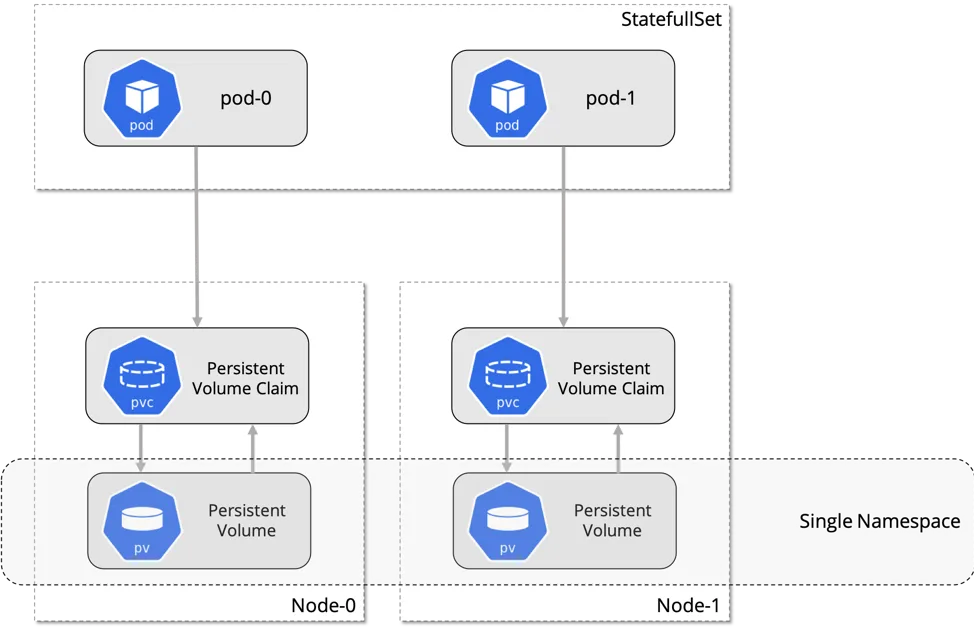
Dynamic Volume Provisioning
Dynamic volume provisioning allows storage volumes to be created on-demand. Without dynamic provisioning, cluster administrators have to manually make calls to their cloud or storage provider to create new storage volumes, and then create PersistentVolume objects to represent them in Kubernetes. The dynamic provisioning feature eliminates the need for cluster administrators to pre-provision storage. Instead, it automatically provisions storage when it is requested by users.
To enable dynamic provisioning, a Kubernetes cluster administrator needs to pre-create one or more StorageClass objects for users. StorageClass objects define which provisioner should be used and what parameters should be passed to that provisioner when dynamic provisioning is invoked. The following manifest creates a storage class “datrium-storage” which provisions standard disk-like persistent disks.
storage-class-vsphere.yml
kind:StorageClass
apiVersion: storage.k8s.io/v1
metadata:
name: datrium-storage
provisioner: kubernetes.io/vsphere-volume
parameters:
diskformat: zeroedthick
$ kubectl apply -f storage-class-vsphere.yml
Users request dynamically provisioned storage by including a storage class in their PersistentVolumeClaim. Users now can and should instead use the storageClassName field of the PersistentVolumeClaim object. The value of this field must match the name of a StorageClass configured by the administrator.
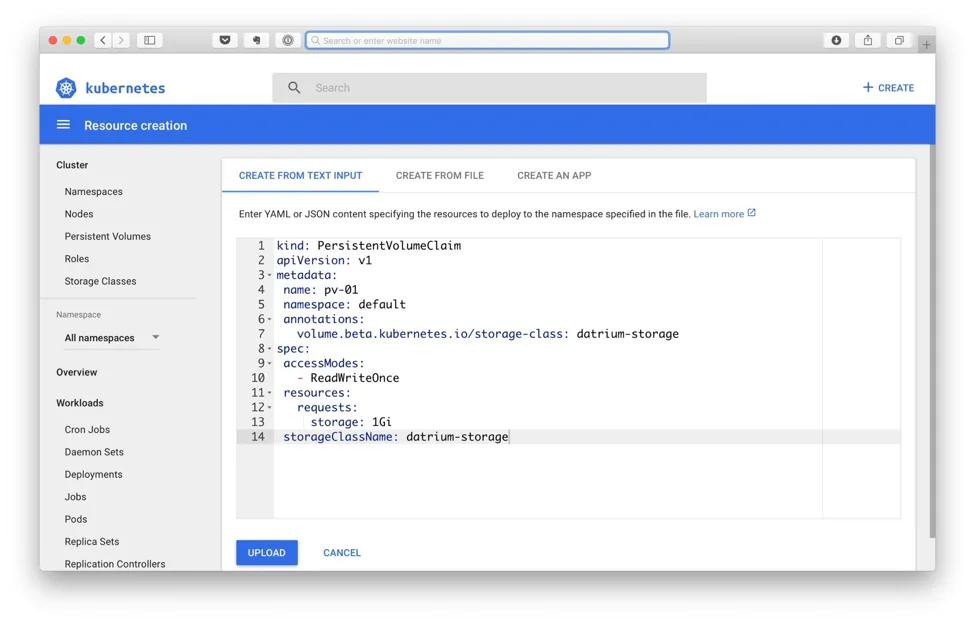
To select the “datrium-storage” storage class, for example, a user would create the following PersistentVolumeClaim:
persistent-volume-claim.yml
kind:PersistentVolumeClaim
apiVersion: v1
metadata:
name: pv-01
namespace: default
annotations:
volume.beta.kubernetes.io/storage-class:datrium-storage
spec:
accessModes:
-ReadWriteOnce
resources:
requests:
storage: 1Gi
storageClassName: datrium-storage
$ kubectl apply -f persistent-volume-claim.yml
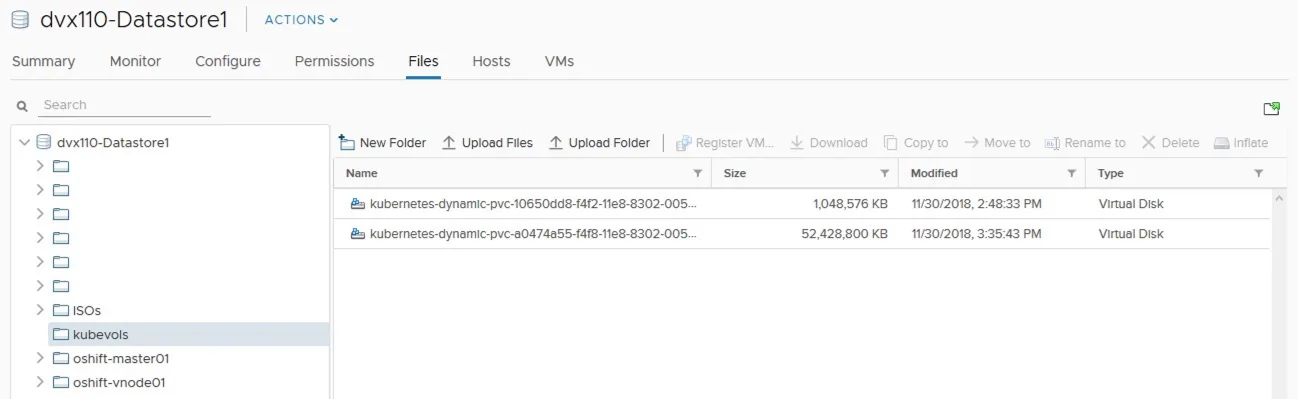
In Datrium DVX persistent volumes are stored under DVX-Datastore\kubevols.
Optionally, a PersistentVolumeClaim can be done using Kubernetes dashboard.
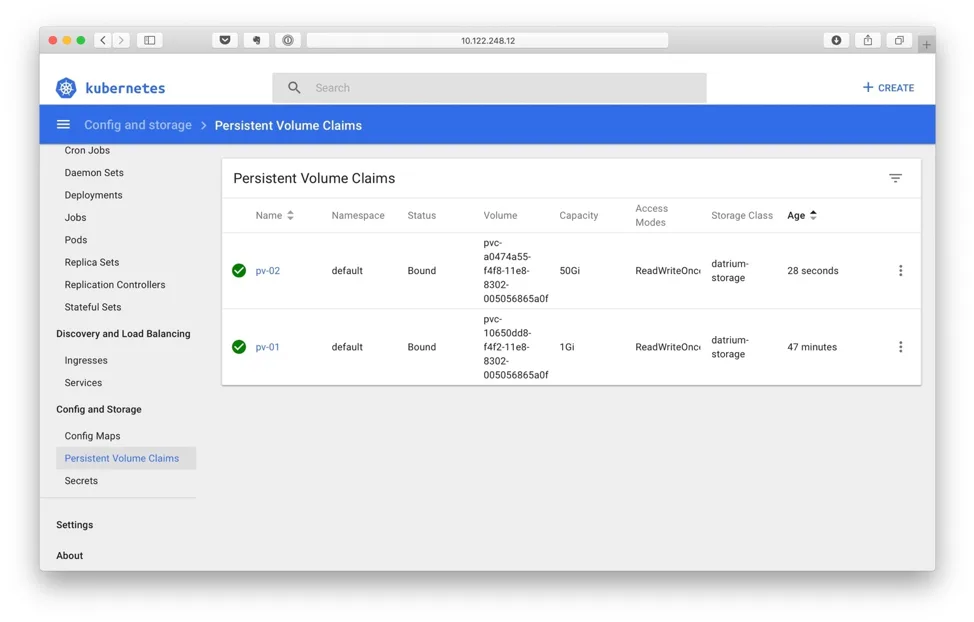
Backing Up Persistent Volumes
Kubernetes provisions new volumes as persistent independent disks to freely attach and detach the volume on any node in the cluster, and for Datrium DVX each persistent volume is an independent VMDK.
As a consequence, it is not possible to backup volumes that use VMware snapshots, and VMware recommends stopping the application utilizing the PV, cloning the PV, restarting the application.
Datrium can uniquely address Kubernetes persistent volumes backup and replication with native non-disruptive snapshots that have zero impact on volumes and applications usability or performance.
The process to snap, backup and replicate Kubernetes + vSphere persistent volumes is similar to the one I described in my article Easy Docker Persistent Volume Protection and Replication with Datrium (here).