Access your Live Nutanix Demo environment
One of Nutanix partners (DH Technologies) created an instant on-demand Nutanix demo. The demo gives users the ability to test drive a real Nutanix environment and get hand-on with the PRISM UI.
After signing-up for the demo you will receive a welcome email with an invite to test drive a Nutanix Powered Virtual Desktop. Once you log in to the virtual desktop it will popup with the credentials to access the Nutanix cluster and the PRIM UI.
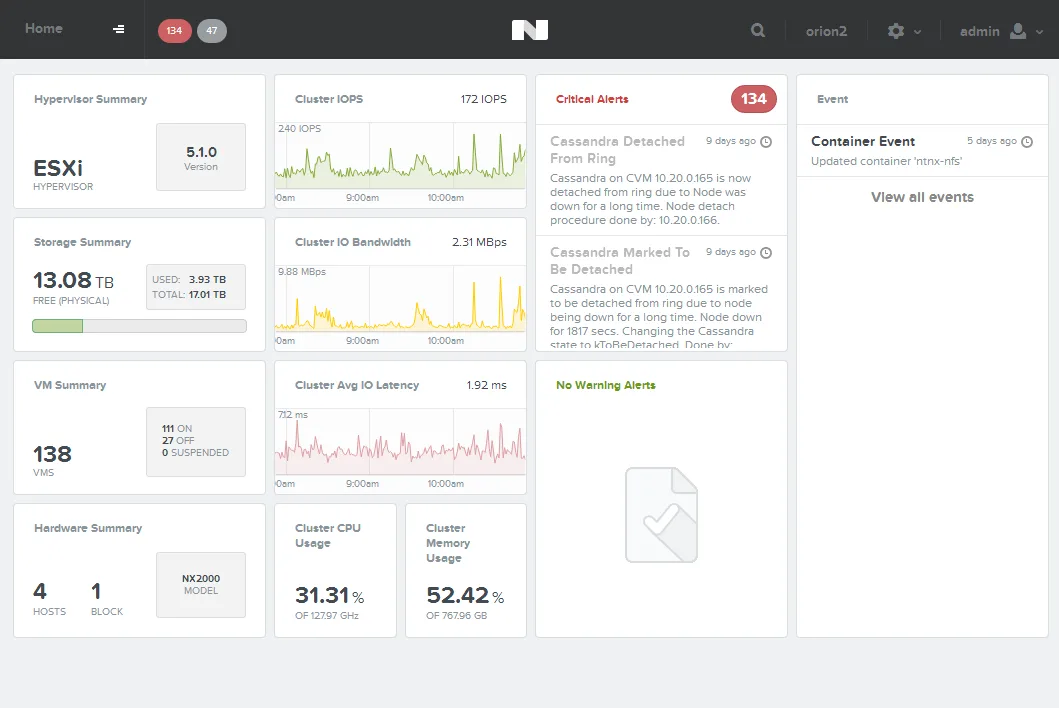
Thanks to DH Technologies for providing this!
To access the demo environment click HERE.
Discussion
Join the conversation on these threads.
4 comments from the original blog
toffitomek
This may be silly question, but what is the password for Nutanix console after login to VDI desktop...? tried few, also provided in email for VDI access, no luck...
cheers :)
Andre Leibovici
toffitomek, I don't know. You would have to ask DH technologies.
If it's default, it should be admin/admin
Bas van Kaam
Hi Andre,
I would love to get my hands on a demo environment but I'm based out side of the V.S. (the Netherlands) and Europe isn't an option when registering. Do you have any idea if, and when, this will change?
Thanks.
Regards,
Bas.
Andre Leibovici
Bas, this demo environment is provided by a US partner, not by Nutanix. In saying that, Nutanix just opened an office in the Netherlands that will have demo units. Let me know if you would like one of our reps to get in touch with you.
Comments are preserved from the original site and are closed.