1 minute and 18 sec ... to DR a 13 Terabyte Microsoft SQL Server to VMware Cloud with Datrium
Yesterday I published Microsoft SQL Server Performance, Consistency at Peak, and The Art of Possible demonstrating Microsoft SQL Server with HammerDB TPC-C workload running on Datrium.
I thought that if I can run MSSQL so fast and consistently what would happen if my datacenter was suddenly gone and I used Datrium DR-as-a-Service with VMware Cloud. How long would it take for my 13 TB VM to come up online and be ready for my applications? (see my previous articles for additional information on VM and HammerDB)
First things first, Datrium DRaaS with VMware Cloud on AWS is a comprehensive cloud-based backup and disaster recovery service for the protection of VMware workloads on-premises and in the cloud. Datrium DRaaS includes Cloud Backup, DR plan configuration and orchestration, and the VMware Cloud on AWS that live mount snapshots. It's available as a downloadable virtual appliance.
To protect the Microsoft SQL Server VM I created a protection group in our on-prem vSphere environment, and I have set policies to take snapshots and replicate to the Cloud Backup repository on AWS every 30 minutes (That's my current RPO).
Then I created a DR plan. A DR plan includes a set of recovery steps that capture ordering constraints and action sequencing instructions for DR operations. These are the ordered instructions that will occur when the plan is executed.
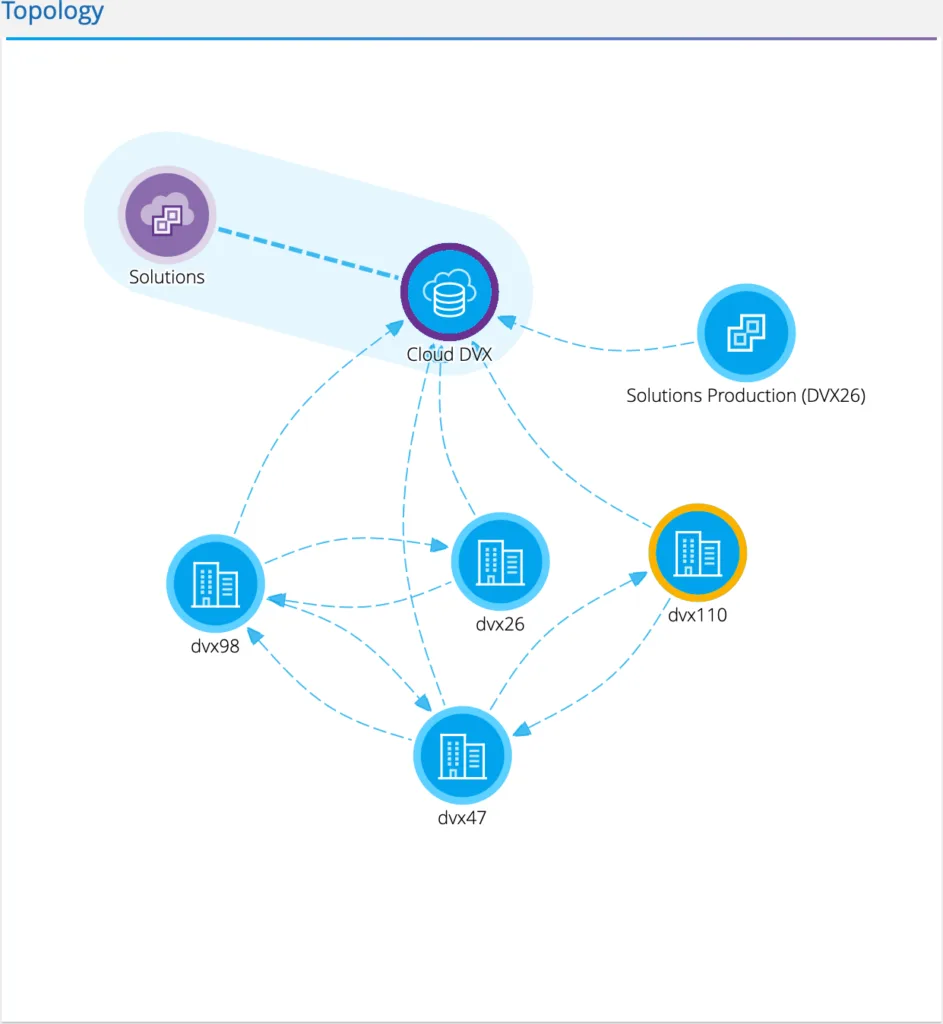
The figure below shows the sites and replication topology, where the on-premise Microsoft SQL Server VM is running on site DVX110, replicating to Cloud Backup repository on AWS, and set to failover to the VMware Cloud SDDC ‘Solutions’.
DR plan recovery steps apply to the plan itself and control the recovery workflow. For example, a planned failover creates a new workflow of recovery operations based on the recovery steps defined in the plan. An executing plan’s recovery steps are executed on the source site (power off VMs, replicate the last snapshot) and destination site (recover VMs in the predefined order). An unplanned failover creates a different workflow based on the same recovery steps defined in the plan.
1 MINUTE AND 18 SECONDS
The total amount of data before deduplication is 13 Terabytes (1 x 500GB vDISK for the GuestOS and 5 x 2500GB vDISK for data), however, upon executing the DR plan to failover the Microsoft SQL Server VM is ready to start serving transactions in just 1 minute and 18 seconds as denoted in the picture below.
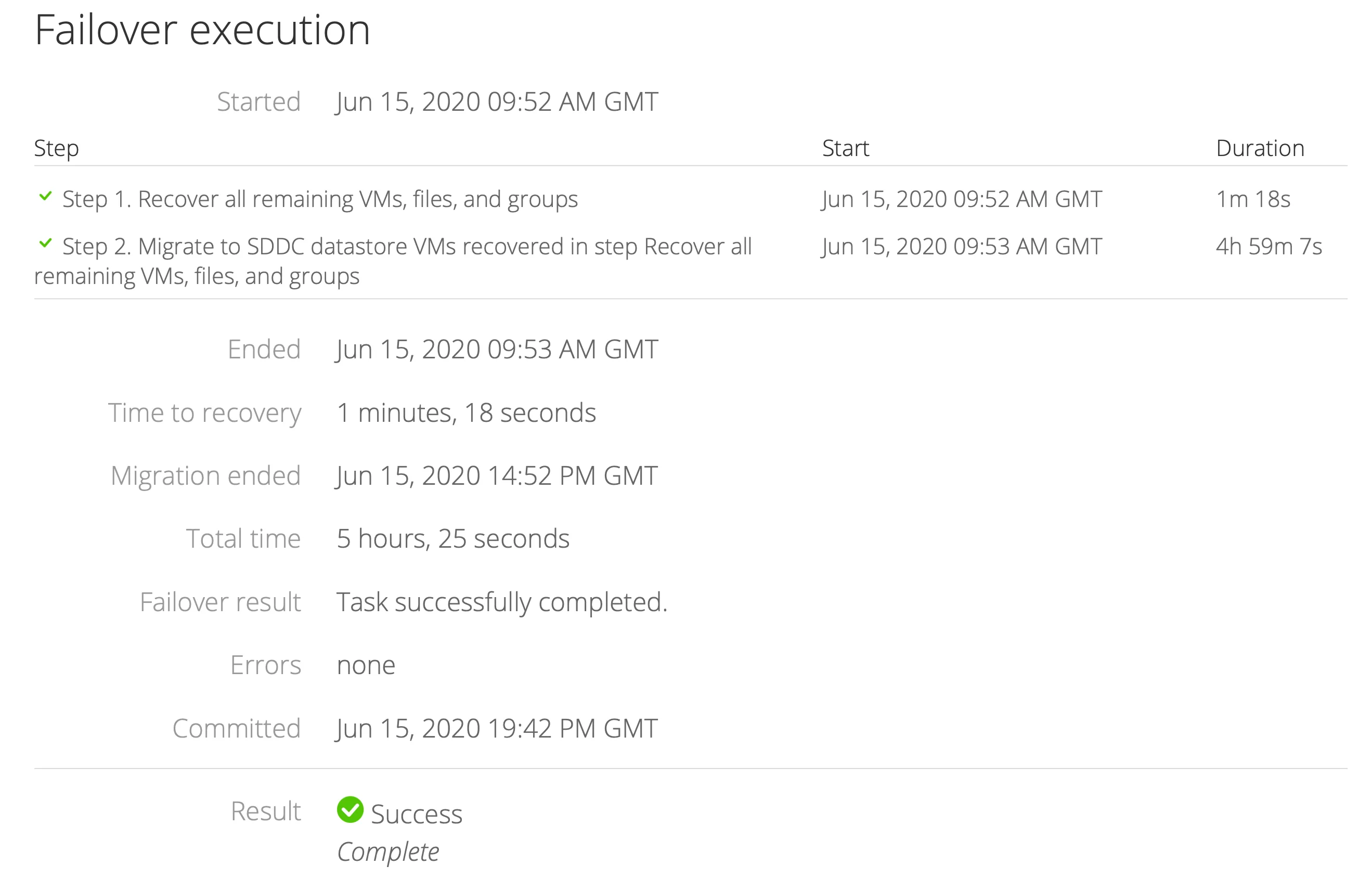
The reasoning for such incredible RTO is the unique ability to life mount the backups as a secure NFS mount into the ESXi hosts in the VMware Cloud SDDC; and this is unique to Datrium.
After the Microsoft SQL Server VM is up and running the solution starts a low-priority background process to relocate the data from Cloud DVX to the VMware SDDC local storage, and this process takes 5 hours and 25 seconds. However, during this time, Microsoft SQL Server is online and serving transactions normally.
At this point, DRaaS starts tracking the new data and changes that occur to the VM to synchronize them back to the Cloud Back repository and made them available for fail-back.
As you can see, IT and SQL administrators can take full advantage of Datrium DRaaS to failover Microsoft SQL Server and other applications to the VMWare Cloud while granting applications near-instant RTO even for large databases for marginal cost.
This and other gems are topics in an upcoming Datrium paper.